Interview practice, resume and LinkedIn
Walk into the interview prepared. Send an application that fits the job.
Practice interview questions with AI feedback, build an ATS-checked resume and cover letter for a specific job, and improve your LinkedIn profile, all in one place.
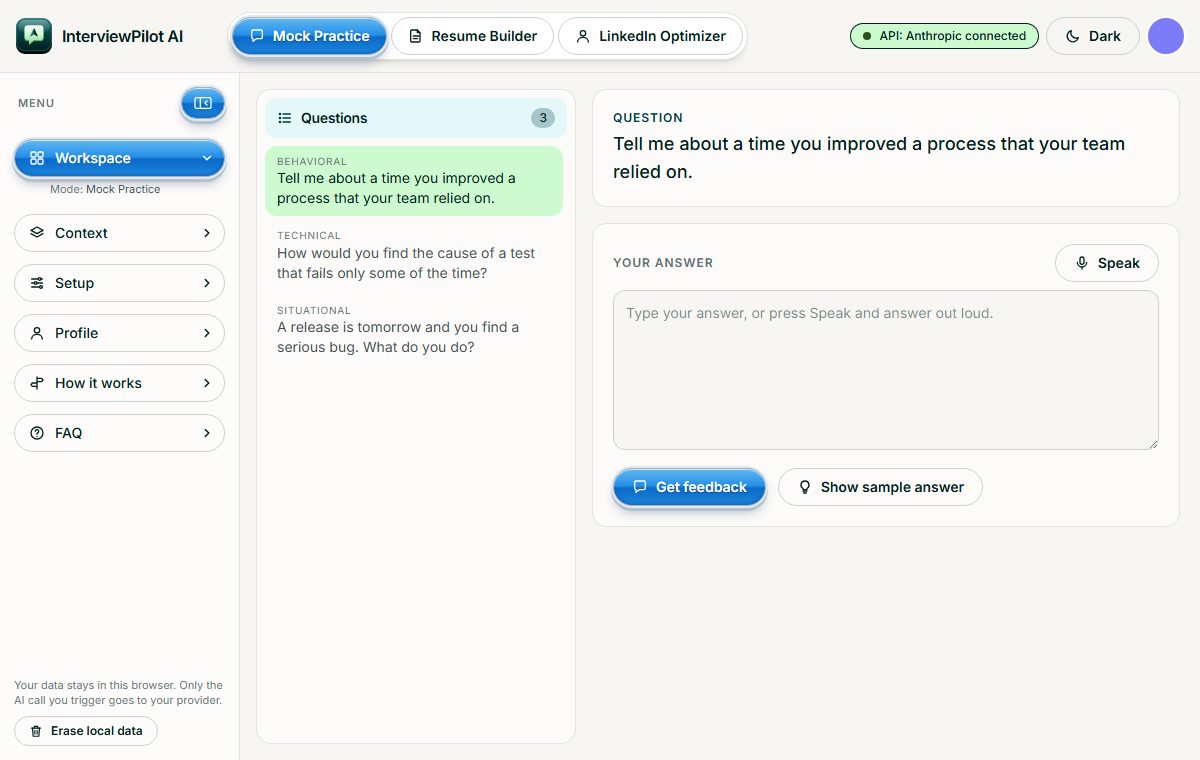
Mock Practice
Practice the questions you are likely to be asked.
- Questions written from your resume and the job description, each with a model answer.
- Type your answer or speak it out loud.
- Get a score out of 10, what you did well, what to improve and a stronger version.
- A filler-word check shows your “um”s and your speaking pace.
Resume Builder
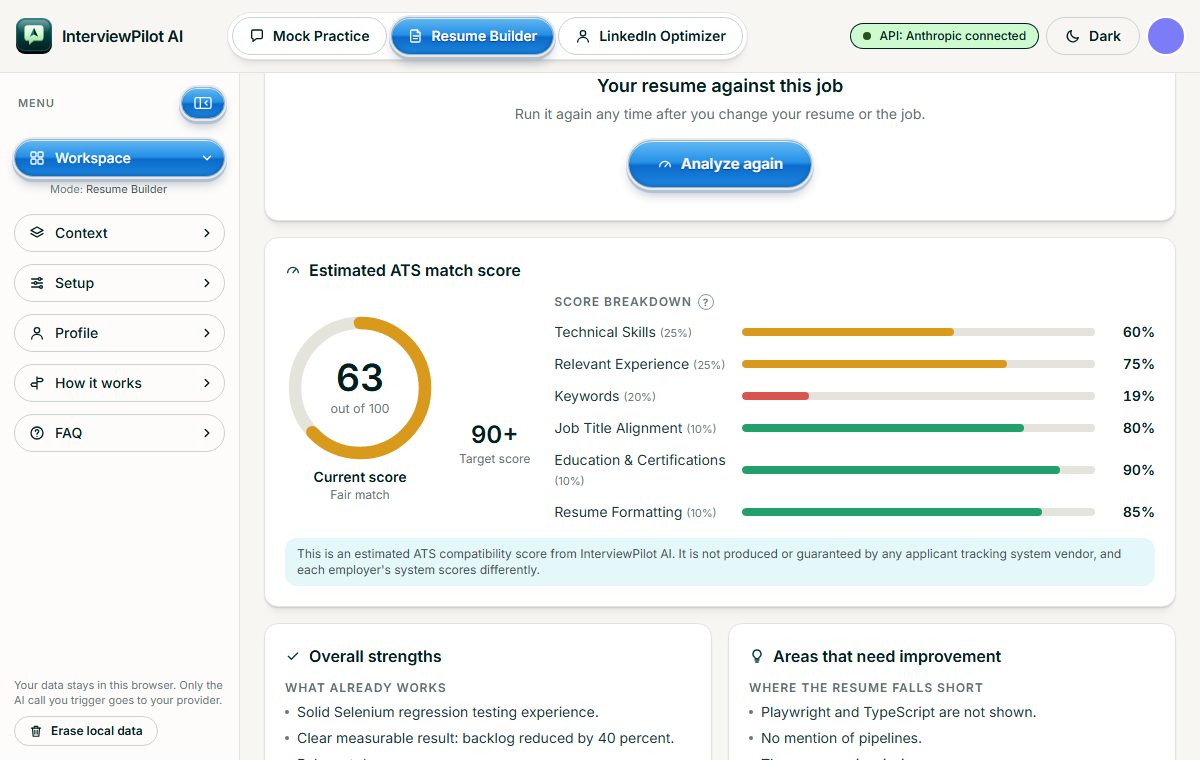
See how your resume matches a job, then tailor it honestly.
- An estimated ATS match score out of 100, with a clear breakdown.
- Tick only the missing skills you really have. Nothing is added that you did not confirm.
- A tailored resume in three styles plus a cover letter, with a before and after score.
- Edit anything, then download real PDF files.
LinkedIn Optimizer
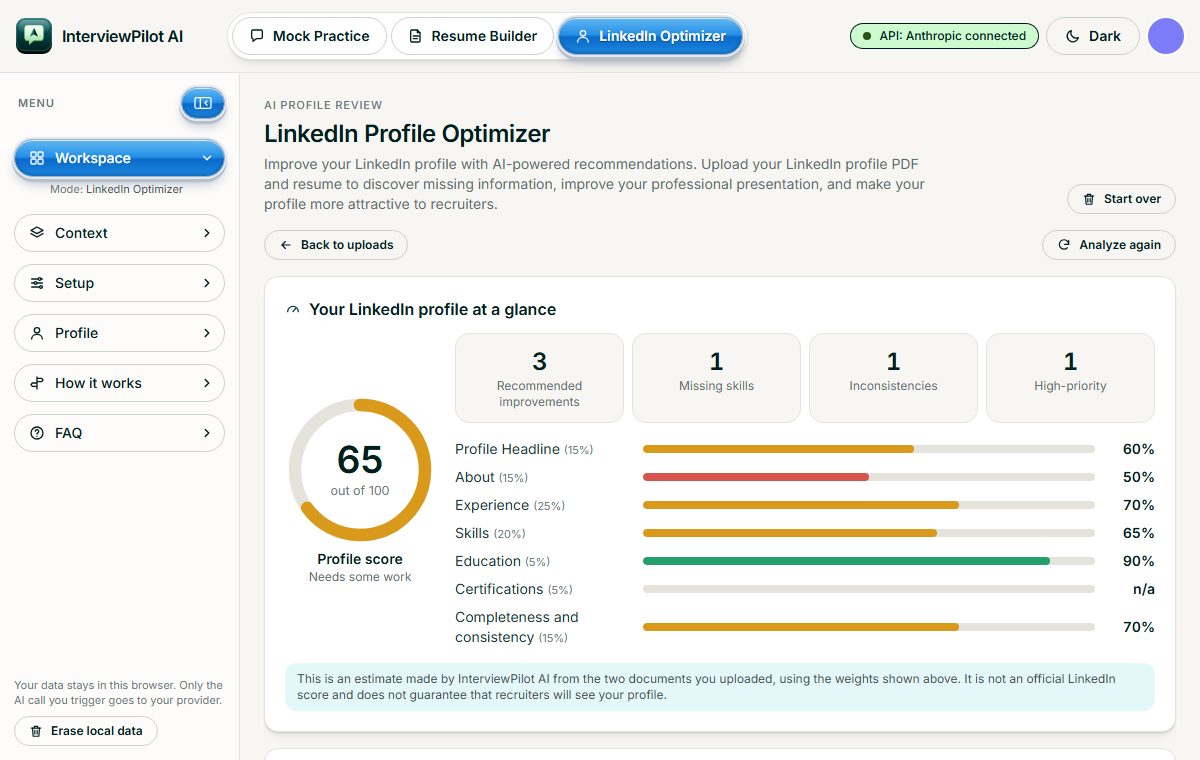
Make your LinkedIn profile match the story in your resume.
- Upload your LinkedIn profile PDF and your resume.
- Section-by-section suggestions with text you can copy: headline, About, experience, skills and more.
- Shows skills your resume has that your profile does not, and any differences between the two.
Built to be trusted with your documents
Your documents stay in your browser
Resumes, job descriptions, LinkedIn PDFs and results are saved on your device. Erase them with one button, or choose to keep an optional copy in your account.
You bring your own AI key
Use your Anthropic or OpenAI key. The provider bills you directly, so you see what you spend.
Honest by design
Suggestions use only facts from your documents, and scores are labelled as estimates, not official numbers.
Ready when you are
Create an account, save your AI key in Setup, and start with any of the three tools.